Bookkeeping and Financial Management
Overview
Willba integrates with your existing financial management software to handle accounting, the sales ledger and electronic invoicing. Information flows between the systems automatically and stays up to date.
Willba currently supports the following bookkeeping integrations:
This page covers what is common to every bookkeeping integration. The system-specific details — how each one connects, what it needs at onboarding, and any system-specific settings — live on its own page.
Additional financial system integrations can be implemented on request. If you use a different accounting system, contact us to discuss the integration possibilities.
These connections enable:
- Transfer of invoices and customer information
- Transfer of paid invoices as vouchers
- Payment status updates also in Willba
- Reporting for operations
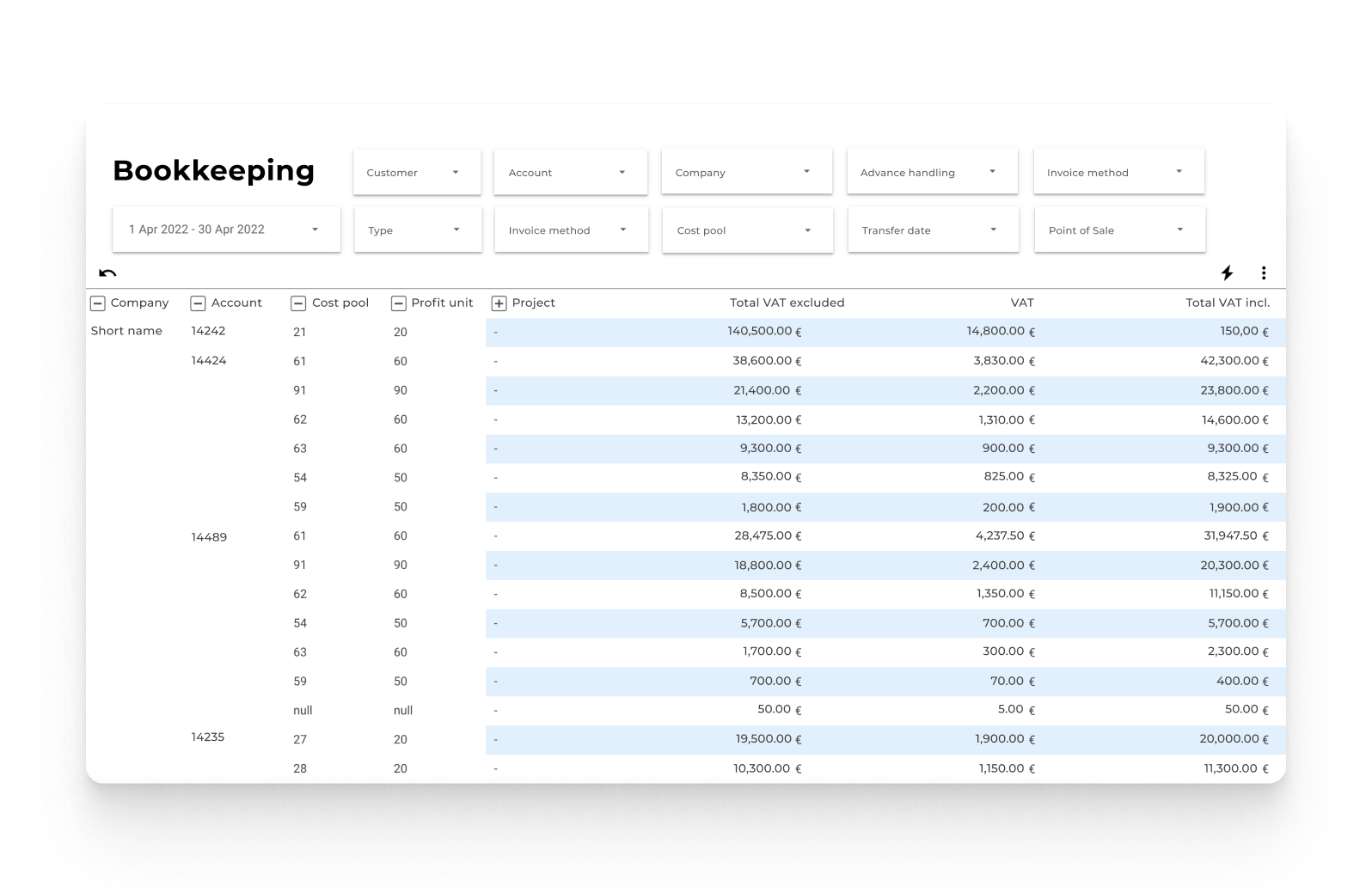
How Willba Works With Your Financial System
Customer information
- Willba maintains the customer data
- When customers make purchases, their information moves to the financial system automatically along with the invoices
- Customer data only needs to be maintained in Willba
Invoices and payments
- Sales invoices created in Willba are sent to the financial system automatically
- Payments registered in the financial system are synchronized back to Willba, so invoice statuses stay up to date
- Credit notes include references to the original invoices (in Wintime via the original invoice number, in Netvisor with automatic matching)
Better reporting
Willba provides the sales and operational reporting, while the financial system handles the bookkeeping details. Together they give a complete picture of the business.
Setting Up the Integration
Accounting structure
Setting up an integration starts by mapping the financial structure in Willba:
- Link the financial system's chart of accounts to Willba's accounting groups
- Set up VAT rates that correspond to the accounting VAT codes
- Create business dimensions that flow through to the bookkeeping system
These settings ensure that sales transactions are booked to the right accounts and with the right dimensions.
Product configuration
In Willba, important financial information is attached to each product:
- Products are assigned to accounting groups that determine both the sales account and the product code in the financial system
- Each product has a VAT rate that corresponds to the appropriate accounting VAT code
- Optional fixed dimensions can be added to products; these override any dimensions chosen during the sale
This keeps financial categorisation consistent across all transactions.
Sales dimensions
Follow business performance with your own dimensions:
- Add dimensions to sales transactions according to business needs (departments, projects, etc.)
- All bookkeeping-relevant dimensions are automatically included in invoice and voucher data
- Product-level dimensions take precedence when both are present
- Dimension data enables rich analysis in both Willba and the financial system
Company-specific settings
Configure financial settings for each seller company in the organisation:
- Set company-specific accounts receivable
- Define separate advance-payment accounts for each company
- Lock accounting periods so invoices cannot be created with dates in closed financial periods
These company-level settings ensure the bookkeeping data is correct in the financial system.
E-invoicing services such as Maventa work directly through your financial system. When invoices are transferred from Willba to the bookkeeping software, e-invoicing becomes available through these connections.
Getting Started
The Willba team guides you through setting up the integration with your existing financial system. Onboarding is designed to fit the existing system so that all financial data transfers correctly between the systems.
Once configured, the integration runs fully automatically, letting the team focus on the business rather than on manual data entry.